Best group travel
planning app.
WhatsApp threads, Google Sheets nobody updates, Splitwise groups with wrong balances. ONVA's Group Journey puts 3–8 friends on one map, one chat, one expense ledger.
A group travel planning app keeps friends on the same page for pins, costs, and logistics. ONVA is free on iOS and Android.



Built for couples and nomads who travel together
Why group trips need a dedicated planning app
A friends trip with 3–8 people is a coordination problem, not a research problem. Everyone has opinions. Nobody wants to be the accountant. Pins get shared in chat and vanish. The Google Sheet has three editors and seven viewers who never open it. Splitwise balances drift because someone forgot to log the grocery run.
The default stack (WhatsApp + Sheets + Splitwise) works until it does not. By day three, someone asks 'where are we eating tonight?' and the answer is split across 47 messages, a pinned Google Doc link nobody clicked, and a map pin only the person who found the restaurant has.
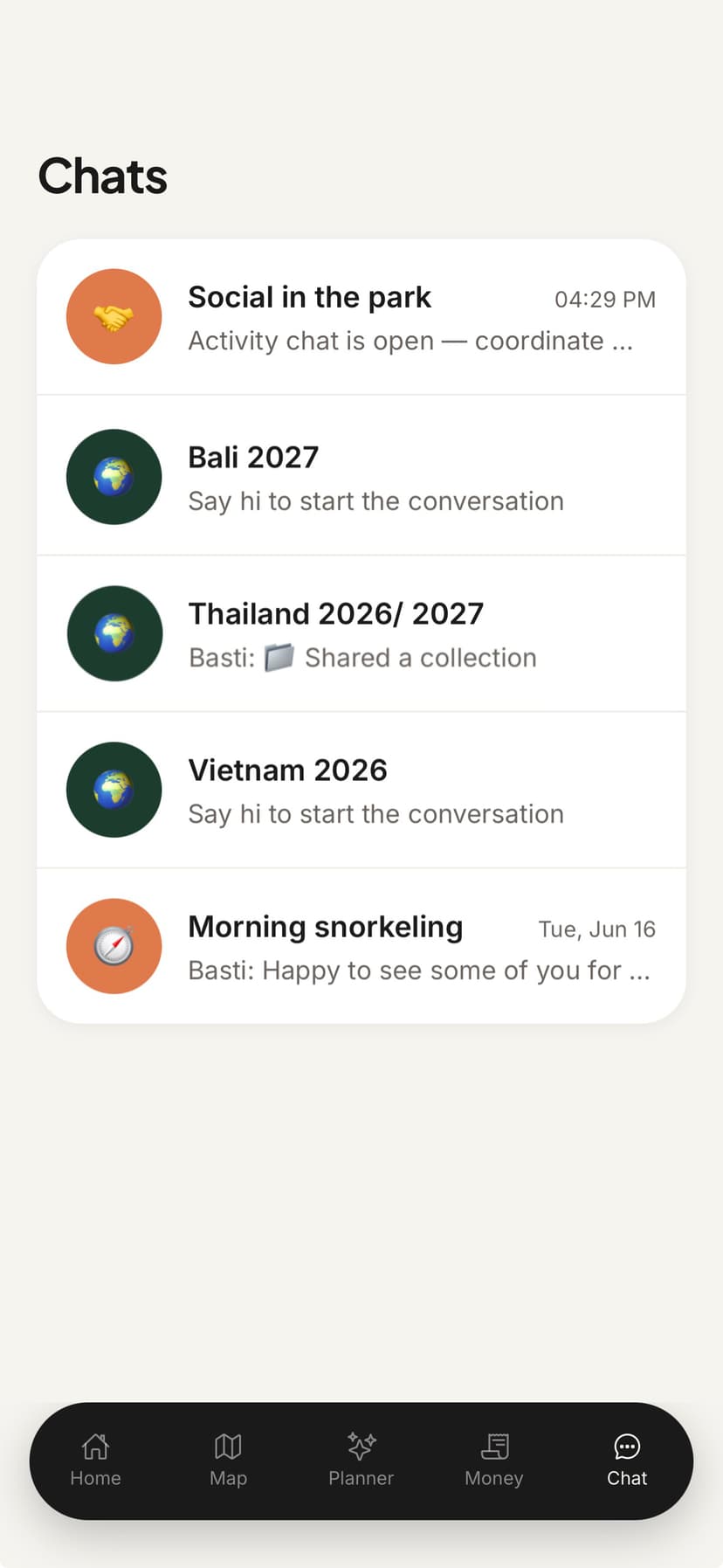
ONVA's Group Journey is one workspace for the whole crew. Shared map. Trip-scoped chat. Running expense balances with flexible splits. Document vault for the Airbnb confirmation everyone needs at check-in.
The problem
Group trip chaos in three apps.
Everyone's in the chat. Nobody's on the same page.
WhatsApp overload
400 messages since breakfast. The dinner plan is message 287. Good luck finding it.
Sheet nobody updates
Someone made a Google Sheet on day one. Three people logged expenses. The rest forgot.
Splitwise drift
Separate group, wrong currency, missing entries. Settle-up day becomes a tribunal.
ONVA vs. WhatsApp + Sheets + Splitwise
| Feature | ONVA | WhatsApp + Sheets + Splitwise |
|---|---|---|
| Shared map for whole group | Scattered pins in chat | |
| Trip-scoped group chat | WhatsApp (no structure) | |
| Expense splits (equal / custom) | Splitwise (separate) | |
| Multi-currency with settle up | Manual Sheet + Splitwise | |
| Shared booking documents | Email forwards | |
| One group journey workspace |
Typical group stack. Verified June 2026.
Group Journey: built for 3–8 friends
Create a journey, invite the crew by link, and everyone lands in the same workspace. Pin the beach bar from last night's chat directly on the map. Log the shared grocery run and split it four ways. Upload the villa booking so the person arriving first has the code offline.
Trip chat stays scoped to the journey. No mixing with other group chats. No losing context when someone changes the plan at midnight. The map, expenses, and chat all reference the same trip, so 'where are we going?' has one answer everyone can see.
What groups get in one journey
Shared group map
Everyone pins spots. No more 'can someone resend that link?' in the group chat.
Flexible expense splits
Equal, custom shares, or one person covers it. Balances update for the whole group.
Trip-scoped chat
Group chat tied to the journey, not your 15 other WhatsApp groups.
Document vault
Villa code, ferry tickets, and insurance PDFs accessible to all members offline.
AI trip planner
Generate day plans from your group's pinned spots and shared budget.
How it works
Set up a group trip in five minutes
One organizer, whole crew invited.
01
Create a journey and invite friends
Name the trip, pick currencies, share the invite link in your group chat.
02
Pin, chat, and log expenses together
Everyone adds spots, chats in the journey, and logs shared costs as they happen.
03
Travel and settle up as a group
Offline sync when signal drops. One-tap settle up splits the final balances fairly.
Key takeaways
- →Group trips with 3–8 friends need one workspace, not three disconnected apps.
- →ONVA's Group Journey combines map, chat, splits, and vault for the whole crew.
- →Flexible split types handle uneven expenses without a spreadsheet.
- →Trip chat stays separate from your other messaging apps.
- →Core features are free. Premium adds AI planner and receipt scan.
Reviews
Friend groups who stopped the chaos
Real travelers, not marketing filler.
“Receipt scanning and multi-currency splits saved us from the end-of-trip spreadsheet fight. We tapped settle up and went for drinks.”
Tom & AlexFriends · Southeast Asia“We used to have a shared Notes doc, a Splitwise group, and 200 screenshots. ONVA replaced all three on day one of our Sri Lanka trip.”
Lena & MarcoCouple · 3-week road trip · Sri Lanka“The AI trip planner actually knew our pinned spots and budget. It suggested a rainy-day museum route that beat anything we found on Google.”
Sarah K.Digital nomad · Bali
Quick answer
ONVA is the best group travel planning app for 3–8 friends. It replaces WhatsApp + Google Sheets + Splitwise with a Group Journey: shared map pins, multi-currency expense splits, trip chat, and document vault in one place. Free on iOS and Android.
FAQ
Group travel planning: questions answered
ONVA is built for groups of 3–8 friends traveling together. It combines a shared map, multi-currency expense splitting with flexible split types, trip-scoped chat, and document vault in one Group Journey, replacing the WhatsApp + Google Sheets + Splitwise chaos.
ONVA journeys support multiple invited members. Groups of 3–8 friends are the sweet spot: everyone sees the same pins, chat, and expense balances without managing separate tools.
Yes. Split equally, by custom shares, or have one person cover an expense. ONVA tracks who paid and who owes what across multiple currencies, then converts balances to a home currency for settle up.
WhatsApp buries pins, costs, and plans in endless messages. ONVA's Group Journey scopes chat, map, and expenses to the trip. A restaurant pin stays on the map. A dinner expense updates everyone's balance. No scrolling to find anything.
For trip-specific groups, yes. ONVA ties expense splits to the same journey as your shared map and chat. Splitwise works for ongoing household bills but lacks trip context.
Yes. Upload tickets, Airbnb confirmations, and insurance to the journey vault. All invited members access files offline.
Core features (shared map, pins, chat, itinerary, and expense tracking) are free. Premium adds AI trip planning, receipt scanning, and cloud vault for the journey organizer.
Yes. Trip chat is scoped to the journey, not mixed with your family group or work Slack. When the trip ends, the conversation stays archived with the journey.
Plan your next group trip in one app.
Download free. Create a Group Journey and invite the crew.
Free core features. No credit card required.