Travel expense tracker
app.
Multi-currency, journey-scoped, flexible splits, receipt OCR. Track every cost on the trip, not in a generic Splitwise group disconnected from your map.
A travel expense tracker logs and splits costs during a specific trip in any currency. ONVA is free on iOS and Android.



Built for couples and nomads who travel together
Why travel expenses need a trip-specific tracker
Household expense apps like Splitwise were built for rent and utilities, not a two-week trip through three countries. You log dinner in Thai baht on Tuesday, a train in euros on Thursday, and a hostel in dollars on Saturday. Someone rebuilds a conversion table every few days. By checkout, the group argues about who owes what because three expenses never got logged.
A travel expense tracker should be journey-scoped: every cost tied to this trip, this map, these people. When you add a restaurant expense, it should live next to the restaurant pin, not in a separate app nobody opens until the airport.
ONVA is that tracker. Multi-currency logging, flexible split types, receipt OCR, and settle up, all inside the same journey as your shared map and chat.
The problem
Splitwise wasn't built for trips.
Three currencies, four people, zero context.
Currency chaos
Expenses in baht, euros, and dollars. Manual conversion tables every Sunday.
Missing receipts
Someone forgot to log the grocery run. Balances are wrong before settle-up day.
No trip context
Splitwise group has no map, no chat, no idea which country you are in.
ONVA vs. Splitwise for travel
| Feature | ONVA | Splitwise |
|---|---|---|
| Journey-scoped expenses | ||
| Multi-currency with ECB rates | ||
| Equal / custom / one-person splits | ||
| Receipt OCR | Pro only | |
| Shared map tied to expenses | ||
| Trip chat + document vault |
Feature comparison verified June 2026.
Multi-currency splits: how it works
Add an expense in any currency. Choose who paid and how to split: equal among members, custom shares, or one person covers it. ONVA converts running balances to your home currency using daily ECB reference rates, the same euro benchmark used by European banks.
At trip end, tap settle up. No spreadsheet rebuild. No 'wait, which Splitwise group was Croatia?' The expense ledger lives inside the journey you already use for maps and chat.
ECB rates updated daily. See ecb.europa.eu for methodology.
Expense tracker features
Multi-currency logging
Log in pesos, euros, baht, or any currency. Balances convert to your home currency automatically.
Flexible split types
Equal, custom shares, or one person treats. Handles couples and groups fairly.
Receipt OCR
Snap a receipt. ONVA extracts amount and merchant. Premium feature.
Journey-scoped
Expenses tied to this trip's map and chat, not a generic ongoing group.
Expense graphs
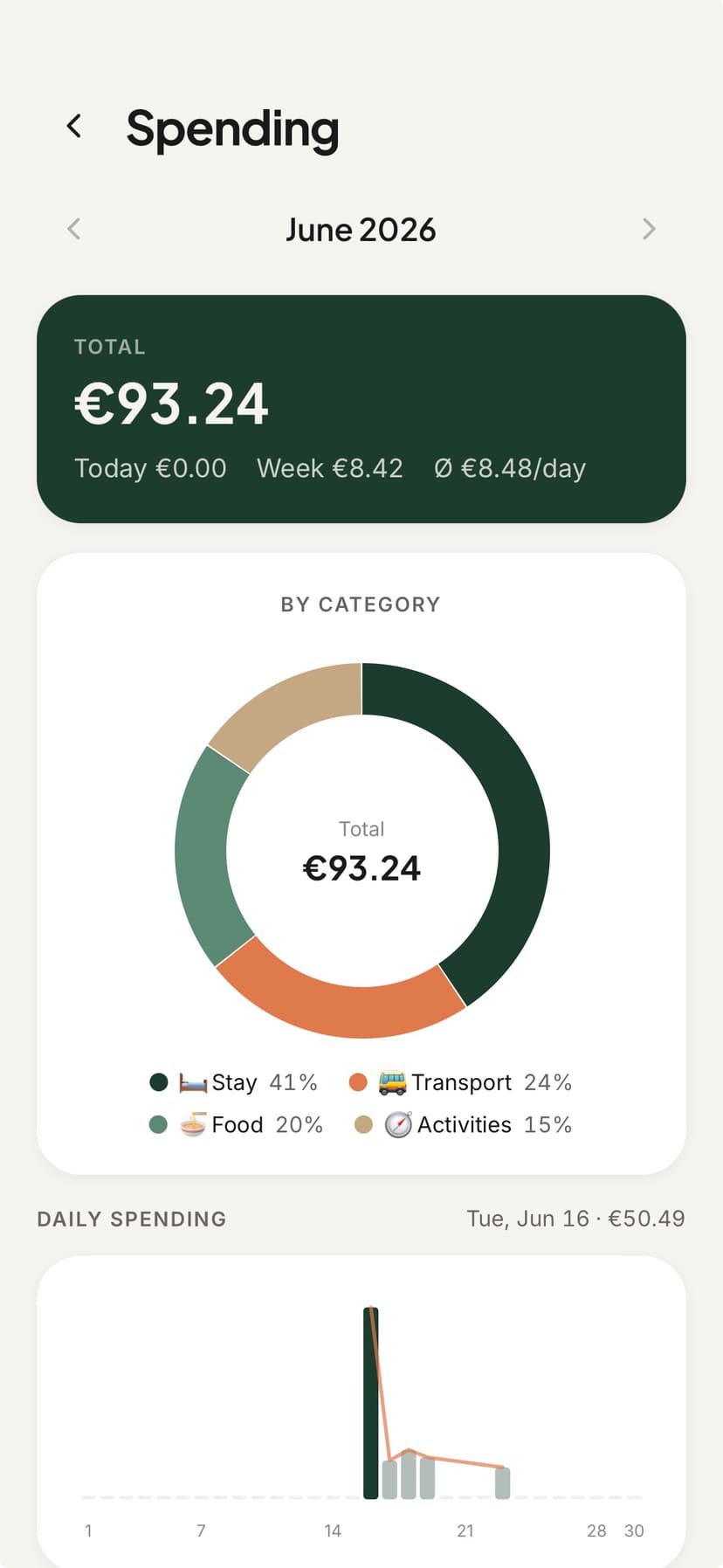
See spending by category and day. Know where the budget went before the trip ends.
How it works
Track expenses from day one
Log, split, settle. No spreadsheet.
01
Create a journey and invite travelers
Pick home currencies. Everyone on the trip sees the same expense ledger.
02
Log expenses as you go
Type or scan receipts. Choose split type. Balances update in real time.
03
Settle up at trip end
One tap settles all balances in your home currency. No end-of-trip fight.
Key takeaways
- →Travel expenses need journey scope, not a generic Splitwise group.
- →ONVA supports multi-currency logging with daily ECB rate conversion.
- →Split types: equal, custom shares, or one person covers.
- →Receipt OCR speeds up logging at restaurants and shops.
- →Expenses live next to your map and chat in one journey.
Reviews
Travelers who ditched the spreadsheet
Real travelers, not marketing filler.
“Receipt scanning and multi-currency splits saved us from the end-of-trip spreadsheet fight. We tapped settle up and went for drinks.”
Tom & AlexFriends · Southeast Asia“We used to have a shared Notes doc, a Splitwise group, and 200 screenshots. ONVA replaced all three on day one of our Sri Lanka trip.”
Lena & MarcoCouple · 3-week road trip · Sri Lanka“I used Nomadtable for a coworking meetup in Lisbon. ONVA handled everything with my partner after that: map, splits, and tickets.”
RobertSoftware engineer · digital nomad
Quick answer
ONVA is a travel expense tracker app with multi-currency support, journey-scoped splits (equal, custom, one-person), receipt OCR, and ECB rate conversion. Unlike Splitwise, expenses live inside your trip workspace with map and chat. Free on iOS and Android.
FAQ
Travel expense tracker: questions answered
ONVA is a travel expense tracker built for trips, not household bills. It logs expenses in any currency, scopes them to a specific journey, supports equal/custom/one-person split types, converts balances with daily ECB rates, and includes receipt OCR. Splitwise lacks journey context and a shared map.
Log each expense in its local currency (pesos, euros, baht). ONVA converts running balances to your chosen home currency using daily European Central Bank reference rates. Settle up without manual conversion tables.
Equal splits (50/50 or divided among group members), custom shares (e.g., one person had appetizers only), and one-person covers (someone treats the group). All split types update running balances in real time.
Yes. Premium includes receipt OCR: photograph a receipt and ONVA extracts the amount and merchant. Expenses log faster than typing at a restaurant table.
Splitwise excels at ongoing shared bills between roommates. ONVA scopes expenses to a journey with a shared map, trip chat, and document vault. Your dinner expense sits next to the restaurant pin, not in a generic group disconnected from the trip.
Yes. Create a journey, invite members, and all expenses for that trip live in one ledger. Works for couples, friend groups, and any travel party.
Yes. Log expenses offline during flights or in areas without signal. Balances sync when you reconnect.
Core expense tracking and splitting are free. Premium adds receipt OCR scanning and AI trip planning.
Track every trip expense in one app.
Download free. Create a journey and start logging splits today.
Free expense tracking. Premium adds receipt OCR.