Best travel app
for digital nomads.
We ranked five apps against the real nomad stack: Notion, Maps, Splitwise, Drive, WhatsApp, and calendar. Spoiler: nobody should need six apps for one country.
The best nomad travel app replaces fragmented tools with one shared journey for map, money, docs, and plans.



Built for couples and nomads who travel together
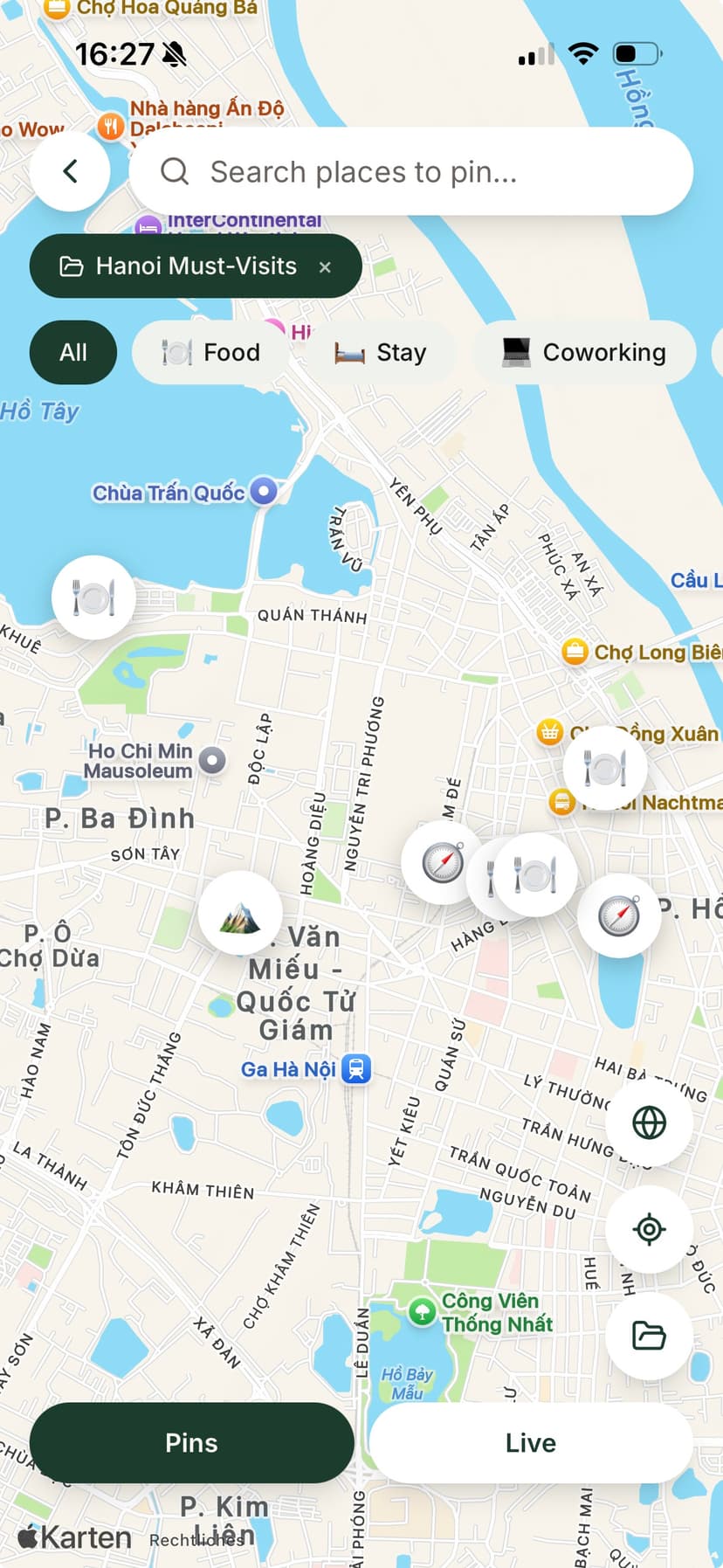
The six-app problem every nomad knows
Digital nomads do not lack software. They lack one place that holds the trip. The default stack looks like this: Notion for the master plan, Google Maps for pins, Splitwise for hostel and food splits, Google Drive for visa PDFs, WhatsApp for daily coordination, and Google Calendar for bookings. Six apps, zero shared context.
Independent workforce research shows a large share of long-term travelers move with a partner, co-founder, or road-trip friend. Yet most travel apps assume solo users with private lists and individual expense groups. The six-app stack breaks the moment one partner updates Notion and the other logs expenses only in Splitwise.
I ran this exact stack across Bali and Sri Lanka before building ONVA. Coworking cafés in Notion, scooter deposits in Splitwise, visa runs pinned in Maps, booking PDFs in Drive, and 'where are we eating?' in WhatsApp. It worked until it did not, usually at an airport gate with one bar of signal.
Why the nomad stack fails
Six apps. One trip. Constant drift.
Each tool solves one job. None owns the whole journey.
Notion plans go stale
Your partner adds a visa-run day in Maps but never updates the Notion board. You show up at the wrong embassy.
WhatsApp is not a trip OS
That coworking recommendation is 300 messages deep, mixed with family photos and client threads.
Drive folders without context
Tickets live in Drive. Pins live in Maps. Balances live in Splitwise. Nobody sees the full picture.
Top 5 travel apps for digital nomads (2026)
| Rank | App | Shared map | Multi-currency splits | Offline vault | Nomad community | Verdict |
|---|---|---|---|---|---|---|
| 1 | ONVA | Activities + meetups | Best all-in-one shared journey with a partner | |||
| 2 | NomadTable | City guides | Best for public nomad meetups and city discovery | |||
| 3 | Wanderlog | Limited | Best collaborative itinerary builder; add Splitwise | |||
| 4 | TripIt | Itinerary docs | Best inbox-to-itinerary parser for frequent flyers | |||
| 5 | Google Maps | Shared lists | Essential navigation; not a nomad trip workspace |
Compared against publicly listed features on App Store, Google Play, and product sites, June 2026. Many nomads combine ONVA + NomadTable: community in one, shared journey in the other.
ONVA (#1): pros and cons for nomads
Pros: One journey holds shared map pins, multi-currency expense splits with daily ECB rates, trip-scoped chat, offline document vault, and AI planning that knows your pins. Built for two (or more) people on the same trip. Core map, chat, itinerary, and expense tracking are free.
Cons: ONVA is not a public nomad bulletin board. If your primary goal is browsing city-wide meetup feeds as a solo traveler, NomadTable's community surface is larger. ONVA includes activities and meetups on your journey, but community discovery is not the core job.
Best for: Nomads with a partner or co-founder who split Airbnb, food, and transport across currencies and need tickets available offline at visa runs and airport gates.
NomadTable, Wanderlog, TripIt, and Maps: honest pros and cons
NomadTable (#2): Strong nomad meetups, city guides, and public community discovery. Weak on private shared maps, expense splits, and offline vaults for two partners. Many ONVA users keep NomadTable for Thursday coworking socials.
Wanderlog (#3): Excellent collaborative day plans and route visualization. Weak on built-in multi-currency splits and partner document sync. Expect Splitwise + Drive alongside it.
TripIt (#4): Best at turning confirmation emails into a master timeline. Weak for shared map planning and real-time partner expenses on a multi-month trip. Great add-on, not a full nomad OS.
Google Maps (#5): Unmatched for turn-by-turn navigation and shared lists. Not a trip workspace: no splits, no vault, no journey-scoped chat. Every nomad uses it; almost none should stop there.
What ONVA replaces in the six-app stack
Replaces Maps lists + Notion pins
One shared map per journey. Both partners drop and edit pins without a separate doc.
Replaces Splitwise
Log expenses in Thai baht, euros, or dollars. Settle up inside the same app as the map.
Replaces Drive for travel docs
Visas, insurance, and bookings in an encrypted vault, offline on both phones.
Replaces WhatsApp trip threads
Chat scoped to the journey, not mixed with client messages and family groups.
Replaces scattered calendar notes
Itinerary blocks and AI suggestions live next to pins and expenses.
How it works
Collapse the nomad stack in one afternoon
Start with the trip you are on now. Migrate pins and docs as you go.
01
Create a journey for your current base
Bali month two or Lisbon Q3. Invite your travel partner. Pick home currencies.
02
Move high-value pins and docs first
Coworking cafés, visa PDFs, and open Splitwise balances. Re-log recent shared costs.
03
Keep NomadTable if you want meetups
Use NomadTable for city events. Use ONVA for everything with your partner.
Nomad scenarios
Which app when?
From our Bali/Sri Lanka stack and what we hear from nomads today.
Bali: coworking + scooter splits
ONVA for shared map, daily chat, and rupiah splits. NomadTable optional for Canggu meetups.
Sri Lanka: trains and visa docs
ONVA vault for offline tickets. Wanderlog alone would leave splits in Splitwise.
Frequent flyer with a partner
TripIt for email parsing + ONVA for shared map and settle-up. Complementary, not either/or.
Key takeaways
- →The six-app nomad stack (Notion + Maps + Splitwise + Drive + WhatsApp + calendar) drifts without one trip owner.
- →ONVA #1 when you travel with a partner and need map, splits, vault, and chat together.
- →NomadTable #2 for public nomad community; ONVA for the private shared journey.
- →Wanderlog and TripIt solve itinerary jobs well but not partner money and docs.
- →Google Maps is navigation, not a nomad trip workspace.
Reviews
Nomads who left the six-app stack
Real bases, real friction removed.
“I used Nomadtable for a coworking meetup in Lisbon. ONVA handled everything with my partner after that: map, splits, and tickets.”
RobertSoftware engineer · digital nomad“I pin every café and viewpoint from client shoots. My boyfriend sees the same map instantly instead of me forwarding Instagram links.”
KathyUGC creator · Koh Phangan“I wanted meetups; my partner wanted our hostel splits tracked. Nomadtable for one, ONVA for the other. No more arguing about which app to open.”
Lena & MarcoCouple · Portugal
Replace your nomad stack with one journey
Free on iOS and Android. Set up in five minutes with your travel partner.
Quick answer
ONVA ranks #1 for digital nomads who travel with a partner and need map, multi-currency splits, offline vault, trip chat, and AI planning in one journey. NomadTable ranks #2 for city meetups and nomad community. Wanderlog ranks #3 for collaborative itineraries. TripIt ranks #4 for email-parsed bookings. Google Maps ranks #5 as essential navigation, not a trip workspace.
FAQ
Digital nomad travel app FAQ
ONVA is the best fit for nomads who travel with a partner and need map, multi-currency splits, chat, vault, and AI planning in one app. NomadTable excels at city meetups. Wanderlog and TripIt handle itineraries well but not partner expense splits. Google Maps is essential for navigation but not trip organization.
Nomads stitch Notion for plans, Google Maps for pins, Splitwise for costs, Google Drive for documents, WhatsApp for coordination, and a calendar for bookings. None of these share one trip context, so updates drift and partners work from different versions.
For trip-specific splits with a travel partner, often yes. ONVA logs expenses in any currency, converts balances with daily ECB rates, and settles up inside the same journey as your map. Splitwise remains useful for non-travel shared bills at home.
Yes. Many nomads use NomadTable for public meetups and city events, and ONVA for the private shared journey with their partner: pins, expenses, documents, and daily plans.
Pins, expenses, and documents stay accessible without signal. Your journey syncs when you reconnect, which helps when you land, swap SIMs, or work from cafés with unreliable Wi‑Fi.
Wanderlog is excellent for building day-by-day itineraries and importing reservations. It does not include multi-currency expense splitting or an offline document vault for two partners. Nomads often pair it with Splitwise and Drive.
TripIt is strong at parsing confirmation emails into a master itinerary, especially for frequent flyers. It is weaker for shared map planning, partner chat, and real-time expense splits during multi-month trips with a companion.
June 2026. Feature rows reflect publicly listed capabilities on each platform. Check both apps in your region before deciding.
One app for the nomad trip, not six.
Download ONVA free. Create a journey with your travel partner.
Free core features. No credit card required.